Versatile text processor for Mac
Meet a reliable yet cost-effective choice for a text processor in the form of Blaze for Mac. With its suite of robust features and pocket-friendly subscription charges, it stands to be a considerable alternative to office suites like Microsoft Office or WPS Office.
Top Recommended Alternative

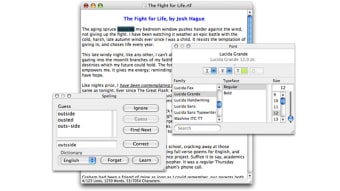
Unlike most of its peers, Blaze’s value proposition doesn’t stop at basic typing capabilities. It offers a plethora of time-saving features, making it stand head and shoulders above the crowd. Consider international spell-checking, text-to-speech, and Rich Text Format (RTF) support — these are merely the tip of the iceberg. You may try its powerful features by downloading the free trial.
A handy office suite
A reliable office suite is necessary to boost productivity — and that’s where Blaze won’t fail to deliver. Its user-friendly interface is glaringly devoid of unneeded and complex add-ons, making it a pioneer in terms of seamless user experience. The basic typing necessities are present and are accompanied by advanced capabilities that make being productive a worthwhile experience. For instance, there’s a style copier feature and it supports shortcuts.
The former lets you select text, copy the font, style, color, and size from it, and then select additional text and paste. As for the latter feature, it allows you to say goodbye to cumbersome shorthand and hello to user-defined snippets of text, which you can insert with the mere stroke of a key. Moreover, the program permits the conversion of line breaks to Mac, UNIX, or Windows format in a matter of seconds.
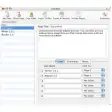
Besides that, it also allows pasting clipboard contents with or without custom styling and even exporting works as HTML web pages. In addition, it can also strip HTML tags, smarten or stupefy quotes, and strip styles from a document. Plus, navigating through large documents is no longer a daunting task with its Go to Top, Bottom, and Line features. However, its most noticeable caveat is the rather simplistic-looking interface.
Worth a try
With its host of advanced, user-friendly features, Blaze proves to be a formidable contender in the realm of text processors and office suites. It not only excels in providing basic typing necessities but also introduces innovative capabilities, such as style copying, keyboard shortcuts, swift conversion of line breaks, and navigation through large documents. Despite its simplistic interface, it’s a robust, cost-effective alternative, enhancing productivity and providing a superior user experience.